Canva isn't just for pretty slides. Learn to use it as a real development tool.
A five-week live course for instructional designers, trainers, and eLearning developers who know what good learning design looks like and need a faster way to build it. Storyboards your SMEs and clients can actually picture, job aids that look finished, and course assets you don't have to rebuild from scratch, all inside the real constraints of your deadlines and budget.
Here's what you walk away with.
Eight finished projects
A storyboard, facilitator deck, handout, job aid, stakeholder one-pager, flyer, short video, and Canva Code interaction, all built in your own Brand Kit and ready to reuse.
Five live sessions, recorded
Two hours each on Zoom, Jan 6 through Feb 3, working on projects already on your plate. Miss a week, and the recording keeps you caught up.
Four bonuses and a community
A template bundle, an ask-your-manager kit, an AI workshop, and a design review checklist, plus feedback from fellow instructional designers inside #IgniteLearning.
How does Canva show up in your work right now?

You open it when you need a title slide that doesn't embarrass you. Maybe a job aid your SME won't call "too plain." Then you close it and go back to the tools that do the serious work.
Meanwhile, your SME just approved a storyboard that was really a table of text. Next week, they'll see the build and say, "That's not what I pictured." You'll rework it, stay late, and deliver something that's fine. Not great. Fine.
And you know the difference. That's the part that stings.
Let's be honest for a second. You don't have a design problem. You have a time problem, a resource problem, and a feedback problem, and you're solving all three with tools that weren't built to help you.
The problem isn't your design skills. It's where Canva sits in your process.
Here's the thing nobody talks about. Most instructional designers treat Canva as a finishing tool, the last stop to make something look polished. The most resourceful L&D people I know use it as a workflow tool. They plan in it, storyboard in it, get SME feedback in it, and build assets in it.
That shift changes more than how things look. Feedback gets specific because stakeholders comment on the exact frame they're reacting to. Revisions shrink because people approve what they can see. You stop waiting on design support you were never going to get.
The next project goes differently.

It's Tuesday. Your SME opens the storyboard link, sees what the module will actually look like, and leaves two comments right on the frames. "Can we move this scenario earlier?" That's it. No "this isn't what I imagined."
You duplicate your branded job aid template, swap in the new content, and it's done before lunch. The rollout infographic your manager asked for takes 20 minutes, not an afternoon.
By Friday, you're not scrambling. You're doing the part you're actually good at: thinking about how people learn. And when you share the finished work, you don't add "it's not perfect, but..." because this time, it's genuinely good.
Effortless Canva Creations: Canva as a real development tool for instructional designers
This is a live, five-week course built around how learning projects actually move: planning, SME or client review, build, and rollout. You won't learn Canva in the abstract. You'll learn it by building the things already on your plate.
Set up once, reuse forever.
Organize your workspace, build a Brand Kit that matches your brand standards or your client's, and create starter templates so you stop rebuilding from scratch.
Build what your learners and stakeholders actually see.
Storyboards, job aids, facilitator decks, infographics, and short videos, each one designed around real L&D use, not marketing.
Move faster without lowering your standards.
Magic Resize, Bulk Create, Canva AI, Canva Code, and the integrations that turn one asset into five, so you protect your time for the design decisions that can't be templated.
Take a quick tour of the course modules.
Use Claude, or the AI tool you already love, inside your Canva process.
Most of us already keep an AI assistant open next to our other tools. In this course, it stops being a separate tab and becomes part of how you build.
- Draft with your AI tool. Claude, ChatGPT, Gemini, or whatever you prefer helps you draft storyboard text, scripts, and job aid copy.
- Design in Canva. Bring that draft into your Brand Kit, and use Canva AI for first passes, resizing, and variations.
- Keep your judgment in charge. You decide what stays, what changes, and what needs a human. The tools just get you to a draft sooner.
You'll try practical prompts throughout the live sessions, and Bonus 3 is a live workshop on exactly this.
Eight things you'll build, and use on Monday.
By the end of the course, you'll have eight finished, reusable pieces built in your own Brand Kit. Not practice files. Things you can put to work on your next project.
- A visual storyboard your SMEs can review and comment on directly
- A facilitator slide deck with presenter tools and a recorded walkthrough
- A participant handout resized from that deck
- A job aid or quick reference guide
- A one-page stakeholder project summary
- A rollout infographic or announcement flyer with a QR code
- A short microlearning or how-to video with captions
- An interactive element built with Canva Code, ready to drop into Articulate Rise or Storyline, the new Mighty platform, or your LMS
Set up for speed.Navigate Canva with intention, organize projects and assets so you can find them again, build your Brand Kit, and customize templates without fighting them. You'll build your storyboard and share it for review.
From deck to handout.Build and present a facilitator deck, record a walkthrough inside Canva, resize it into a handout and a flyer, add a QR code, and put Canva AI to work on first drafts.
Job aids, summaries, and video.Build a job aid and a stakeholder one-pager, use Bulk Create for repeatable content like name tents or certificates, and edit a short video with audio and captions.
Visuals that explain and engage.Build an infographic, run a whiteboard session, add purposeful animation, create a Canva Code interaction, and use third-party apps to finish your projects.
Share-out.Bring what you built, get peer feedback, and see how others solved the same problems.
Let's talk about what this is actually worth.
Straight talk: you shouldn't buy a course because it sounds nice. You should buy it because it pays you back. Here's what that looks like for an instructional designer.
Hours back, every week.The templates you build in this course get reused on every project after it. When a job aid takes 30 minutes instead of three hours, that time doesn't disappear. It goes back to analysis, design decisions, and the work only you can do.
Fewer revision rounds.A visual storyboard your SME can comment on directly catches "that's not what I pictured" before the build, not after it. One avoided rework cycle on one module can save a full day.
Assets that keep working.You leave with eight finished, branded projects and a template system you'll reuse all year. One storyboard template supports every course you build next. One job aid template becomes your whole job aid library.
Work that looks like you know what you're doing, because you do.Consistent, polished visuals make your expertise visible to stakeholders who can't see the thinking behind it. That visibility is how order takers become trusted partners.
Less waiting, less outsourcing.When you can produce professional visuals yourself, you stop waiting on a design team you don't have or paying a vendor for an infographic you could build in an afternoon.
Skills that belong to you.Your organization's budget may change. Your skills go with you. The eight projects you build also make strong portfolio pieces, whatever your next chapter looks like.
Do the math with your own numbers.
| If you... | The value |
|---|---|
| Value your time at $35 an hour | The course pays for itself in under 10 hours saved |
| Save just two hours a week on design and rework | That's about 96 hours a year, worth roughly $3,360 |
| Reuse your templates for a full year | The course costs less than $1 a day |
Adjust the hourly rate to match your own. Even if you save half of that, you come out well ahead.
Have professional development funds left this year?
If your organization's training budget resets in January, whatever you don't spend by December 31 often just disappears. This course lands right in that window.
Effortless Canva Creations is a clean, specific line item: one purchase, one price, and a skill you'll use on every project next year. You enroll in December, the course runs in January, and this year's funds pay for work that shows up in next year's results.
You already invest in yourself when your organization doesn't. This is your chance to let the budget do it for once.
"I'd like to use the rest of my professional development funds on Effortless Canva Creations, a live five-week Canva course for instructional designers. It's $279. I'll use it to build storyboards, job aids, and course visuals in-house, faster and on brand, so we rely less on outside design support next year."
Adjust it to fit your projects, send it this week, and see how it lands. Bonus 2 includes the full email and ROI summary if your manager wants more.
Need an invoice so your organization can pay or reimburse you? Click the button below, and we'll send one.
A few extras, because your time matters.
Each bonus answers a question I hear from instructional designers before they join.
Bonus 1: The instructional design template bundle
Fully editable Canva templates for storyboards, job aids, facilitator decks, stakeholder summaries, and rollout flyers, built around how learning projects actually move through planning, review, and build.
Bonus 2: The "ask your manager" kit
A ready-to-send email and a one-page ROI summary that connect the course to hours saved, fewer revision rounds, reusable branded templates, and less spent on outside design help. Plug in your own hourly rate and project load, and the numbers make the case for you. Use it, and if the answer is no, you'll know the investment still makes sense for you.
Bonus 3: Live workshop, Canva AI plus Claude or your favorite AI tool
Use Claude or the AI tool you already love to draft scripts, job aid copy, and storyboard text, then bring it into Canva and design it in a fraction of the time. Practical prompts you can try this week.
Bonus 4: The design review checklist
A short guide and video for reviewing your own work for layout, color, typography, accessibility, and brand consistency before it goes to your stakeholder.
Built in: a community that gets it. For "I'm figuring this out alone." Course students share work, ask questions, and get feedback inside the #IgniteLearning community, alongside other instructional designers who don't need your world explained.
What instructional designers say.
“With an audience ranging from beginners to super users and plenty of questions along the way, Dani delivered it all with ease. Thank you, Dani, for an engaging and inspiring workshop! We all walked away with something new to explore and apply.”
Hi, I'm Dani.
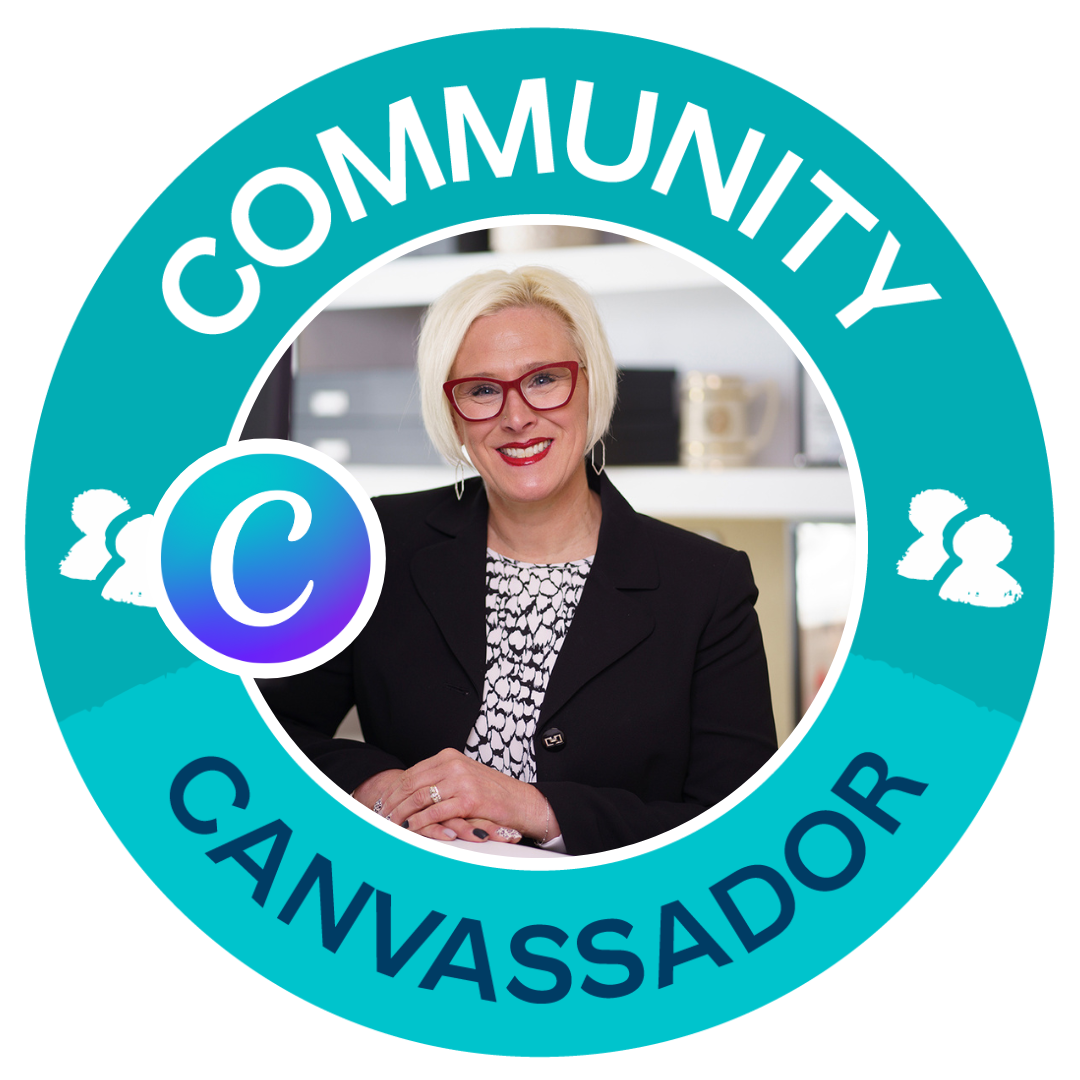
I've spent more than 28 years in learning and development, and a lot of that time I was the person building the training, managing the SMEs, and figuring out the tools on my own. I know what it's like to have a Friday deadline, a stakeholder who keeps adding scope, and no design team down the hall.
Canva became part of how I actually work, not just how I make things pretty. I've taught it for Training Magazine, I'm in my fourth year as a Canva Canvassador, and I use it every week for storyboards, facilitator decks, and client deliverables at Zenith Performance Solutions.
I'm also the founder of #IgniteLearning, a community for instructional designers, trainers, and eLearning developers. I show up as a peer, not a guru. I'll tell you what works in the real world, what doesn't, and help you try it, see how it lands, and refine it.
Is this course for you?
This is for you if...
- You're an instructional designer, trainer, or eLearning developer, whether you work in-house, freelance, or run your own business
- You know what good learning design looks like, but your timelines and resources rarely let you build it
- You already use Canva a little, but it lives at the edges of your workflow
- You're tired of SME or client feedback that arrives after the build instead of before it
- You want practical tools you can use on your next project, not more theory
- You're ready to build real things, which takes a few hours of practice each week
Here's everything you get.
| Five live sessions | Two hours each on Zoom, Wednesdays at 12 pm MT (11 PT, 1 CT, 2 ET): Jan 6, 13, 20, 27, and Feb 3 |
| Share-out week | The Feb 3 session is peer feedback on what you built |
| Recordings | Every session, so a busy week doesn't put you behind |
| Eight finished projects | Built in your own Brand Kit and ready to reuse |
| Four bonuses | Template bundle, ask-your-manager kit, AI workshop, design review checklist |
| Community support | Questions and feedback inside #IgniteLearning |
| Group pricing | Groups of 5 or more get 20% off. Reach out for an invoice. |
That's less than $1 a day across a year of reusing what you build. If you save 10 hours, it's paid for. Most people save that in the first month.
Bringing your team? Groups of 5 or more get 20% off.
Email [email protected] with the number of people, and we'll send an invoice you can pay or route through your accounting team.
Add a year of #IgniteLearning VIP for $76.
When you check out, you can add a full year of VIP to your course. Together that's $355, the same as an annual VIP membership with the course included. Here's what a year of VIP gives you:
- A build-along workshop every month on the tools you already use, like Canva, Rise, Mighty, Storyline, and AI. A workshop on Dec 2 and another on Dec 16 are already on the calendar.
- Fully editable Canva templates every month, not previews.
- A learning library of tutorials, tips and tricks, and asset bundles for Canva, Storyline, Rise, and Vyond that you can reach for when you're under pressure.
- Co-working Wednesdays, where you bring the project that's stuck.
- VIP community spaces for sharing wins and work and asking for honest feedback from peers who already understand your stakeholders, your LMS, and your Friday deadlines.
Add it at checkout, or skip it. The course stands on its own.
Registration for the January course closes before the first session on Jan 6.
Do the work. If it doesn't help, I'll refund you.
This course works when you build alongside it. So here's my promise: attend or watch the first two sessions, try the exercises, and if you don't feel it's helping you work faster and with more confidence, email [email protected] within 14 days of the start date. Show me what you tried, and I'll refund your investment.
I'd rather you get real value than keep a seat that isn't working for you.
Questions people ask.
I already know the basics of Canva. Will this be too beginner?
Week 1 moves quickly through setup, and it's where most people discover the organizing and Brand Kit habits that save the most time later. From there, everything is applied to L&D projects you'll actually use.
I don't have time for one more thing right now.
I get it. That's why the course is built around projects already on your plate. Each week is a two-hour live session plus a few hours of practice on real work. Every session is recorded if a week gets away from you.
Do I need Canva Pro?
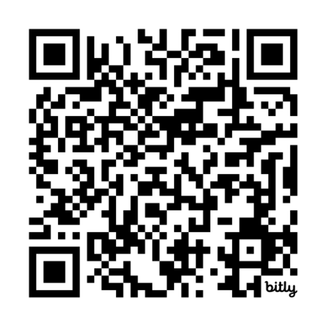
You can complete most of the course with a free account. Some features, like Brand Kit, Magic Resize, and Background Remover, need Pro, Teams, or your organization's Canva license. If you don't have one, you can start a free Canva trial at bit.ly/zps-canva-trial or scan the code below.
My organization has Canva locked down or uses a company account. Will this still work?
Yes. We'll talk about working inside an organization's brand controls and shared templates, and you can practice in a personal account if needed.
Will this work with Storyline, Rise, Mighty, or my LMS?
Yes. You'll export assets in the formats those tools need and build a Canva Code interaction you can embed into Articulate Rise or Storyline, the new Mighty platform, or your LMS.
My training budget is gone for the year. Is it worth paying for myself?
Let's be honest for a second. A lot of instructional designers fund their own growth, because they work for themselves or their organization doesn't. If that's you, here's how I'd think about it. This course costs less than many conference registrations, it pays for itself in about 10 saved hours, and the skills and templates stay with you no matter what happens to next year's budget. If you'd still like to ask, Bonus 2 includes a ready-to-send email and an ROI summary you can hand your manager today. Either way, you're investing in the professional you already are.
How will I get support?
Ask questions live during sessions, and post your work in the #IgniteLearning community between sessions. I'm in there, and so are other instructional designers who've been where you are.
What if I join and it doesn't apply to my situation?
That's what the guarantee is for. Do the first two weeks, and if it isn't helping, I'll refund you.
Do you offer group pricing?
Yes. Groups of 5 or more get 20% off. Email [email protected], and we'll send an invoice.
Can I get an invoice?
Yes. Email [email protected], and we'll send one so your organization can pay or reimburse you.
You already know what good looks like.
This course gives you a faster way to build it, a set of templates you'll reuse all year, and people who understand your work without needing it explained. Whether your organization pays or you invest in yourself, the hours you get back are yours.
Come learn with us in January.